
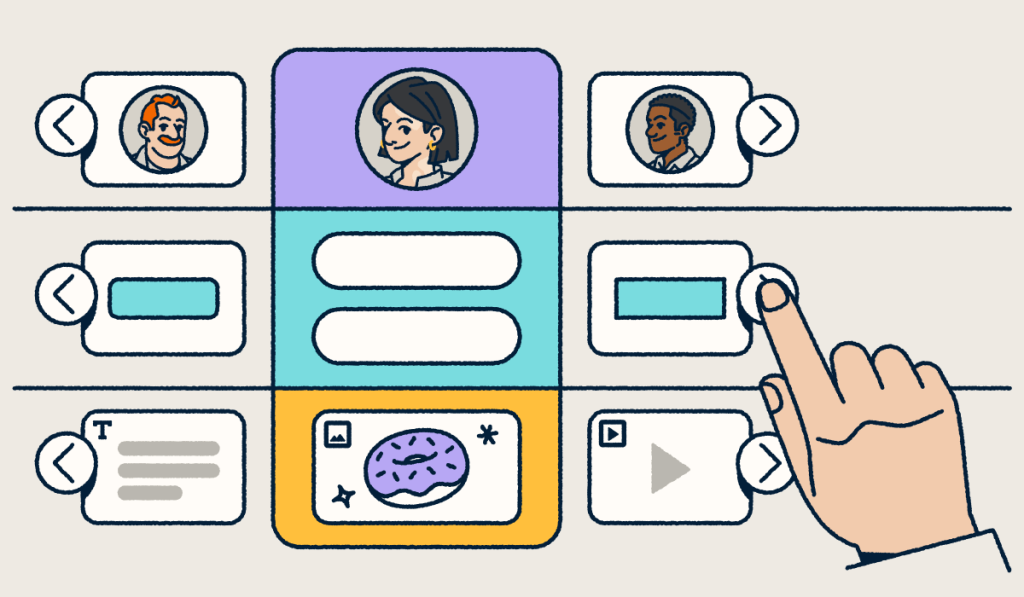
A microsite is a small, standalone website, often one page or a handful of pages, that centers on a single campaign, product, event, or audience. It sits apart from a brand’s main website. That separation gives a launch or campaign a focused, distraction-free destination you can promote and measure on its own.
Focus matters because your audience reaches you through many channels, like links, QR Codes, social posts, print, and ads. When a campaign’s touchpoints scatter across a large website, it’s hard to tell which channels drive results. A microsite gives each initiative one clear destination, so every click and scan has a place to land.
This guide answers the question “what is a microsite?” and shows how microsites differ from websites and landing pages. You’ll also learn when to use one, plus how to create a microsite and track it with Bitly.
Key Takeaways
- A microsite is a small, standalone site that serves one campaign, product, event, or audience.
- Choose a microsite when your story needs more than one page but doesn’t belong on your main website.
- Use a landing page instead when one page and one call-to-action can capture the conversion.
- Plan an end date for campaign microsites, and redirect retired URLs to a relevant page on your main site.
- Track every click and scan that drives traffic to your microsite so you can see which channels perform best.
What is a microsite?
A microsite is a small, standalone website, often a single page or a cluster of a few pages, that focuses on one campaign, product, event, or audience and operates separately from your brand’s main website.
Think of a microsite as a mini website that aims for precision. A traditional website holds many pages and content categories, while a microsite carries one core message. That focus lets you give a specific audience a curated experience for a product launch, an event, or a lead generation push.
That’s the core microsite meaning: One site, one goal, and one audience. Most microsites share these defining traits:
- Single purpose: The whole site supports one campaign, product, event, or audience.
- Minimal navigation: Visitors move through a few pages without menus that pull them elsewhere.
- Distinct branding or creative: The design can differ from your main site to match the campaign.
- Clear call-to-action: Every page points visitors toward one next step.
- Short or long lifespan: Some microsites run for a few weeks, while others stay live for years.
Where a microsite lives: Domain options
A microsite can live on a separate domain, a subdomain, or a subfolder of your main site. The right choice depends on how closely you want to connect the microsite to your main brand.
| Option | Example | Best for |
|---|---|---|
| Separate domain | yourbrandlaunch.com | A fully distinct identity for standalone campaigns |
| Subdomain | launch.yourbrand.com | A clear tie to the parent brand |
| Subfolder | yourbrand.com/launch | Keeping everything subsidiary to the main domain |
A separate domain gives you the most creative freedom. A subdomain or subfolder makes the link to your brand obvious to visitors at a glance.
Whichever option you pick, a Bitly short link or QR Code can point to it. That way, the address people see and share stays short and branded while simultaneously collecting deep data insights.
Microsite vs. website vs. landing page: What’s the difference?
A website covers your whole brand, a landing page drives one action on a single page, and a microsite sits in between: A small, standalone site built for one campaign or audience.
| Website | Microsite | Landing page | |
|---|---|---|---|
| Purpose | Covers your whole brand, products, and company | Supports one campaign, product, event, or audience | Drives one action, like a sign-up or download |
| Number of pages | Many | One to a handful | One |
| Navigation | Full menus and many paths | Minimal and campaign-focused | Little or none |
| Domain | Your main domain | Separate domain, subdomain, or subfolder | Usually a subfolder on your main domain |
| Lifespan | Long term | Short term or long term | Often lasts for one campaign |
| Best for | Brand information and ongoing content | Launches, events, and campaigns that need room for a story | Lead generation, A/B testing, and single offers |
Semrush describes a landing page as a single-path web page for simple, single-goal campaigns. It’s minimal, fast to load, and focused on conversion. Common uses include lead generation, A/B testing, or a call to action like downloading a guide.
Your main website is your brand’s digital home, with many pages, multiple navigation paths, and varied content about your company and products. In the microsite vs. website debate, the microsite wins when you need more than one page but want visitors to stay on one topic. It fits storytelling, new product launches, and immersive experiences for a niche audience.
Rule of thumb: If the initiative needs more than one page to tell its story, choose a microsite. If one page can capture the conversion, choose a landing page. For that second case, start with these landing page best practices.
The purpose of microsites
Microsites give a single initiative its own focused space, so visitors see one message and one next step. Here are four common ways to use a microsite in marketing.
Launching campaigns
Microsites suit marketing campaigns that deserve their own spotlight. By isolating a campaign in a standalone digital space, you remove distractions and focus attention on your message. With a strong call to action, bold design, and streamlined navigation, microsites can boost conversion rates. They also keep the experience immersive.
Promoting events
A microsite can share event details, build anticipation, and speak directly to potential attendees. Add a countdown timer, a highlight reel, an exclusive RSVP form, or all three, with custom branding that feels premium and personal. For more ideas, learn how to boost event engagement with a link-in-bio page.
Reaching a targeted audience
GWI explains that audience segmentation helps you focus on what a target audience cares about. A microsite lets you act on that insight without changing the tone of your main website.
You can customize the content, tone, and layout for a unique persona or audience segment. That tailored experience feels personal, thoughtful, and on-brand. It is an important part of driving conversions with Bitly Pages.
Spotlighting new offerings
Launching a new product or service? A microsite gives your launch dedicated messaging, rich media, and interactive features, so it stands out from your homepage and social feed. Whether it’s an exclusive preview or a full breakdown of features, a standalone showcase presents your offering in its best light.
Microsite examples
Most microsites fall into a few common types, and each one has a clear goal:
- Product launch microsite: Builds excitement for a new product and drives preorders or sign-ups.
- Event or conference microsite: Shares the agenda, speakers, and venue details, and collects registrations.
- Research or thought leadership microsite: Presents a report or study in an interactive format that earns attention and leads.
- Link-in-bio microsite for social: Turns one link-in-bio into a hub for your latest content, offers, and products.
Each type follows the same pattern: One audience, one goal, and a clear next step. Pick the type that matches your goal, then plan only the pages you need to tell the story.
For real brand examples, browse our microsite examples roundup. To build your own faster, start from one of our Bitly Pages templates.
The perks of a microsite
The main perks of a microsite are stronger brand awareness, deeper audience engagement, better lead generation, and improved online visibility.
Boosting brand awareness
Time-limited or campaign-specific microsites give you the freedom to push creative boundaries without reshaping your primary website. Use them to try fresh branding, bold storytelling, or a new voice. A standout microsite can surprise and delight your target audience and strengthen your brand identity without undermining your core messaging.
Increasing audience engagement
Microsites turn passive visits into interactive experiences. By removing clutter and focusing on a single product, event, or story, you invite visitors to engage fully. Whether you showcase a product demo, launch an interactive quiz, or curate a link-in-bio microsite for social media traffic, focused content keeps people invested.
The result is more time on your site, greater engagement, and a stronger connection with your target audience.
Improving lead generation
Microsites bring clarity to lead generation. With a unique call to action, a specific purpose, and one target audience in mind, they focus squarely on conversion. Clean design and minimal navigation keep that focus. Because they attract qualified, interest-driven traffic, you’re more likely to generate high-quality leads ready to act.
Improving online visibility
A microsite’s niche focus can help with search engine optimization (SEO). BrightEdge describes long-tail keywords as longer, more specific phrases that reflect how people search. A well-optimized microsite can target those campaign-specific terms and attract organic traffic.
A microsite on a separate domain starts without your main site’s existing authority, so it needs its own promotion and unique content.
When to skip a microsite (and how to retire one)
Microsites still work for focused campaigns, but they aren’t the right fit for every initiative. Skip the microsite in these situations:
- You have a single conversion goal: A landing page captures one action with less work.
- You’re hosting a one-off webinar: A registration page on your main site handles the sign-ups.
- The content duplicates your main site: Two versions of the same content confuse visitors and compete in search.
- Your team lacks bandwidth: A microsite needs regular updates and promotion to stay useful.
Retire it cleanly. When a campaign microsite reaches the end of its run, use this checklist:
- Set an end date at launch.
- Redirect retired URLs to the most relevant page on your main site, in line with Google’s guidance on consolidating pages.
- Use a canonical tag if content appears in both places, following Google’s canonical URL guidance.
- Update the destination of any Bitly short links and Dynamic QR Codes that pointed at your site so printed materials still lead somewhere useful.
That last step protects your print investment. Dynamic QR Codes let you update the destination without needing to reprint. Last season’s flyers and packaging still send people to a live page.
A simple microsite campaign workflow with Bitly
You can build, promote, and measure a microsite without a developer. These four steps take you from launch to insight.
Step 1: Build your microsite with Bitly Pages
Start by bringing your microsite to life with Bitly Pages. Bitly Pages lets you create mobile-friendly landing pages and link-in-bios with no code. It’s fast to set up and ideal for single-page microsites, event promotions, and any campaign with a clear call-to-action.
You can start from a template or from scratch, and customize fonts, colors, backgrounds, and button styles. You can also embed video, image galleries, social icons, and Bitly Links. Then publish in minutes, with full control over the experience.
Customers notice the flexibility:
"The landing pages have made language access more manageable for our small nonprofit without requiring huge multi-language and multiple versions of signs."
Step 2: Create Bitly short links and QR Codes to drive traffic
Once your microsite is ready, it’s time to drive traffic. Bitly makes it simple to create trackable branded links and QR Codes for every channel. Think email campaigns, printed materials, in-store signage, digital ads, and social media posts. Our internal data shows why branding matters: Branded links see a 2.3x increase in clicks compared to unbranded links.
- Use a short URL in your Instagram bio to highlight a product launch.
- Place a QR Code on packaging to send people to a new feature demo.
- Add a campaign link in your newsletter to direct readers to your event microsite.
Start creating these trackable assets with our URL Shortener so every interaction is measurable. Use a clickable link for digital channels or a scannable code for physical materials. Customize your QR Codes with your brand colors and logo to stay consistent across every touchpoint.
Step 3: Organize links into a campaign
Group every link and QR Code for one microsite into a single campaign to keep your assets clean and trackable. Our campaign management feature puts all related assets in one place. You can also apply the same shared tags to links and QR Codes to group campaign assets and find them faster.
Grouping your assets helps you connect the dots between channels. Your campaign analytics show which channels drive the most engagement, whether it’s email, social, SMS, or another medium. With that view, you can shift resources with confidence and fine-tune your strategy.
Step 4: Track traffic and refine messaging
Once traffic flows, Bitly Analytics shows how your microsite performs. It breaks down clicks and scans by channel, device type, location (city/country), and date. Use those insights to refine your call-to-action, visuals, or messaging.
With Bitly Assist, you can ask about link and QR Code performance in plain language and get answers in seconds. If your mobile traffic spikes while conversions lag, that’s your cue to improve the mobile experience or adjust your page copy.
Launch your next microsite with confidence
So, what is a microsite? It’s a focused home for one campaign, product, event, or audience. Choose a microsite over a landing page when your story needs more than one page.
Plan its lifespan from day one, and track every click and scan that brings people there. When that traffic comes from social, email, print, and packaging, you need one view that connects it all. Bitly is the marketing platform that helps businesses of all sizes see what’s working. Simply and clearly.
Ready to make the most of your microsites? Link your marketing. Get started with Bitly now and create, share, and track your next microsite today.
Frequently Asked Questions
What is a microsite in simple terms?
A microsite is a small website focused on one thing, like a product launch, event, or campaign. It sits apart from a brand’s main website and guides visitors toward one clear action.
What is the difference between a microsite and a website?
A website covers your entire brand and serves many audiences over the long term. A microsite focuses on a single campaign, product, or audience, and it often runs for a limited time on its own domain or subdomain.
What is the difference between a microsite and a landing page?
A landing page is a single page with one call-to-action, and it usually lives on your main domain. A microsite can include several pages and more content, so it fits initiatives that need more room to tell their story.
What is an example of a microsite?
Common examples include a product launch site, an event registration hub, a research report site, and a link-in-bio page for social media. You can find more ideas in our microsite examples roundup.
What is a microsite URL?
A microsite URL is the web address where your microsite lives. It can be a separate domain, a subdomain of your main site, or a subfolder. You can share any of these as a branded short link or QR Code.
Are microsites still a thing?
Yes. Brands still use microsites for launches, events, and campaigns that need a dedicated space. Plan an end date, and redirect the URLs when the campaign ends so visitors and search engines land on a live page.
Are microsites good for SEO?
Microsites can rank well for niche, long-tail keywords when they offer unique content. A microsite on a new domain starts without your main site’s authority, so it needs its own promotion and links.
More Articles

More than a link shortener
Knowing how your clicks and scans are performing should be as easy as making them. Track, analyze, and optimize all your connections in one place.