The main types of links in SEO are backlinks, internal links, external links, and links qualified by attributes like nofollow, sponsored, or user-generated content (UGC). Each link type sends search engines a different signal about your pages. Knowing how they work helps you build a healthier link profile and earn more visibility.
Google uses links to discover new pages and judge their relevance. That makes every link you add, earn, or share part of your SEO strategy. Below, we’ll explain each of the types of links, when to use them, and how to keep your SEO-friendly URLs working alongside branded short links.
That balance matters because your links travel far beyond your website, into social posts, emails, SMS, ads, and print. When those touchpoints stay fragmented across channels and devices, it’s hard to tell which links drive results.
Key Takeaways
- Backlinks from other sites act as a ranking signal, while internal links help search engines find every page you care about.
- Use rel=”nofollow”, rel=”sponsored”, and rel=”ugc” to qualify untrusted, paid, and user-generated links, because “dofollow” isn’t a real HTML value.
- Write descriptive, concise anchor text that tells readers and search engines what the linked page covers.
- Audit your link profile regularly to find toxic, broken, and paid links that violate Google’s spam policies.
- Share branded short links off-site in social posts, email, SMS, and print, and keep full, descriptive URLs for on-site navigation.
What are the main types of links?
The four main types of links are backlinks, internal links, external links, and attribute-qualified links like nofollow, sponsored, and UGC. The remaining types in this guide, like image links and branded short links, describe a link’s format or delivery method. Use the table below to compare these different links at a glance.
| Link type | What it is | SEO impact | Best use |
|---|---|---|---|
| Backlinks | Links from another domain to your site | A ranking signal Google uses to assess pages | Earn by publishing original research, guides, and positive PR |
| Internal links | Links between pages on your own site | Help crawling, discovery, and topical context | Connect related articles and product pages |
| External links | Links from your site to another domain | Add context and credibility for readers | Cite authoritative sources |
| Dofollow links | Standard links with no rel qualifier | Can pass ranking signals | Default for trusted editorial links |
| Nofollow links | Links with rel=”nofollow” | Hint to search engines not to pass ranking credit | Links you don’t want to vouch for |
| Sponsored links | Links with rel=”sponsored” | Flag paid or affiliate placements | Ads, sponsorships, and affiliate links |
| UGC links | Links with rel=”ugc” | Flag user-generated content | Comments and forum posts |
| Image links | Images inside an <a> HTML element | Google reads the alt text as anchor text | Logos, banners, and product images |
| Branded short links and redirects | Short links on a custom domain that redirect to a full URL | Live off-site, so on-site URLs stay canonical | Social, email, SMS, and print |
Backlinks from other websites
Backlinks are links from another website to yours, and search engines read them as votes of confidence. Links are one signal Google uses to understand pages.
Ahrefs’ 2025 study of 1 million US keywords found a weak correlation between links and rankings. Correlation doesn’t prove causation, but links still matter.
Most backlinks fall into two groups:
- Unendorsed backlinks: Links you earn organically, usually because your content is valuable and relevant.
- Endorsed or outreach backlinks: Links you earn by working or partnering with other content creators and site owners.
Both groups can support your SEO. For best results, look for sites with a domain rating of 50+ and domain traffic of at least 500.
Endorsed and unendorsed backlinks also fall into these types of link building categories:
- Editorial backlinks: Unendorsed links from reputable sites that cite your content as a reliable source.
- Guest post backlinks: Links from articles you write for other sites, most valuable on relevant, high-authority publications.
- Social media backlinks: Links from social platforms that send referral traffic and help more people discover your content.
- Directory backlinks: Links from directories like Yelp that people can use to find and visit your site. Google’s spam policies flag low-quality directory links as link spam.
Watch your anchors on guest posts. Google’s spam policies list links with optimized anchor text in guest posts, articles, or press releases distributed on other sites as link spam.
If you want to know how to build links for SEO, start by earning them. Publish original data, useful guides, and expert commentary that other sites want to cite.
Internal links between your own pages
Internal links connect pages on your own site and help search engines discover and understand your content. They also guide readers to related articles, product pages, and next steps.
Google’s Link best practices recommend that every page you care about has at least one link from another page on your site. A page with no internal links pointing to it (an orphan page) gives crawlers no path to follow from the rest of your site.
Use internal links to cross-link related content, build clear navigation menus, and point calls to action toward sign-up pages. Descriptive anchor text on each link gives crawlers extra context about the target page.
For on-site navigation, use full, descriptive SEO-friendly URLs and save short links for sharing off-site. Full URLs show readers and search engines exactly where a link leads.
External links to other websites
External links point from your site to another domain and give readers sources they can trust. A blog post might link to a government data set, an industry study, or a product’s official documentation. These links improve the reader experience and can open conversations with site owners about backlink partnerships.
Google’s Link best practices encourage you to link to authoritative sources when it helps readers. Add nofollow only when you don’t trust the source.
When you share links on other platforms, branded short links keep your name in front of your audience. Customize the back half to tell people what to expect, and see more ways to grow your brand with short links.
Hyperlinks and anchor text links
A hyperlink is an <a> element with an href attribute, and its anchor text is the clickable words readers see. Search engines use both to find pages and understand what they cover.
Google can generally crawl a link only if it’s an <a> element with an href attribute. Links built another way, like a <span> with a JavaScript click handler, can stay invisible to crawlers.
Google’s same guidance recommends anchor text that’s descriptive, reasonably concise, and relevant to the target page. Good anchor text tells readers what to expect before they click. It also gives search engines context about the linked page.
Skip “click here,” generic labels like “read more,” and keyword-stuffed anchors. Compare these examples:
Good anchor text
- “Read our guide to short URL best practices.”
Bad anchor text
- “To learn about short URLs, click here.”
- “Best short link best short URL short link tips.”
Image links and alt text
An image link places an image inside an <a> element, so clicking the picture takes visitors to another page. Common examples include logos that return visitors to your home page, social media icons, banners, and product thumbnails.
For image links, Google uses the image’s alt attribute as the anchor text. Write alt text that describes both the image and the destination, like “Blue trail running shoe, shop the trail collection.” Clear alt text also helps people using screen readers.
Link attributes: Dofollow, nofollow, sponsored, and UGC
Link attributes are rel values that tell search engines how to treat a link. Google’s guide to qualifying outbound links defines three main values: Sponsored, ugc, and nofollow. You can combine values in one rel attribute when more than one applies.
| Attribute | Use it for | Example markup |
|---|---|---|
| None (standard “dofollow” link) | Trusted editorial links | <a href=”/guide”>Link guide</a> |
| rel=”nofollow” | Links you don’t want to vouch for | <a href=”/forum-post” rel=”nofollow”> |
| rel=”sponsored” | Ads, sponsorships, and affiliate links | <a href=”/partner-offer” rel=”sponsored”> |
| rel=”ugc” | Comments and forum posts | <a href=”/user-profile” rel=”ugc”> |
| rel=”ugc nofollow” | Links where two values apply | <a href=”/comment-link” rel=”ugc nofollow”> |
Dofollow links
A dofollow link is a standard link with no rel qualifier, so it can pass ranking signals. “Dofollow” is an SEO nickname, and HTML has no “dofollow” value. Search engines follow every standard link by default.
Use standard links for trusted editorial content, like citations to authoritative sources and internal links between your own pages. These links let search engines pass link equity from one page to the next.
Nofollow links
A nofollow link uses rel=”nofollow” to tell search engines you don’t vouch for the destination. Use it for links you don’t trust when sponsored or ugc doesn’t fit.
In its September 2019 update to nofollow, Google announced it would treat nofollow, sponsored, and ugc as hints rather than directives. In practice, Google may still use a nofollow link to discover and crawl a page. Google decides how much weight each hint gets.
Sponsored and UGC links
Use rel=”sponsored” for paid or affiliate links and rel=”ugc” for links in comments and forums.
The sponsored value covers ads, sponsorships, and paid placements. It also applies when you get affiliate links and share them in your content, since those links earn you a commission.
The ugc value flags links that visitors add themselves, like comments, forum posts, and community profiles. Google’s outbound link guidance lets you combine values. For example, rel=”ugc nofollow” flags a user-generated link you also don’t vouch for.
HTML link elements: <a> vs. <link>
HTML uses <a> to create clickable hyperlinks in the page body and <link> to define relationships in the <head>. Both elements use href and rel attributes, but they serve different purposes.
The WHATWG HTML Standard separates hyperlinks from external resource links. Hyperlinks point people to another resource they can visit. External resource links pull in a file, like a stylesheet, that the browser uses to build the current page.
Each element supports different rel values. MDN’s rel attribute reference shows that canonical works only on <link>, while nofollow works on <a> but not on <link>.
The canonical tag is the most important <link> element for SEO. Google treats rel=”canonical” link annotations as a strong canonicalization signal, which helps it choose the preferred version among duplicate pages. Hreflang alternates use <link> elements, too, and point Google to language or regional versions of a page.
Here’s how the three most common link elements look in code:
<a href="https://bitly.com/pages/pricing">Compare Bitly plans</a>
<link rel="canonical" href="https://bitly.com/blog/types-of-links/">
<link rel="stylesheet" href="/styles.css">
Redirect and branded short links
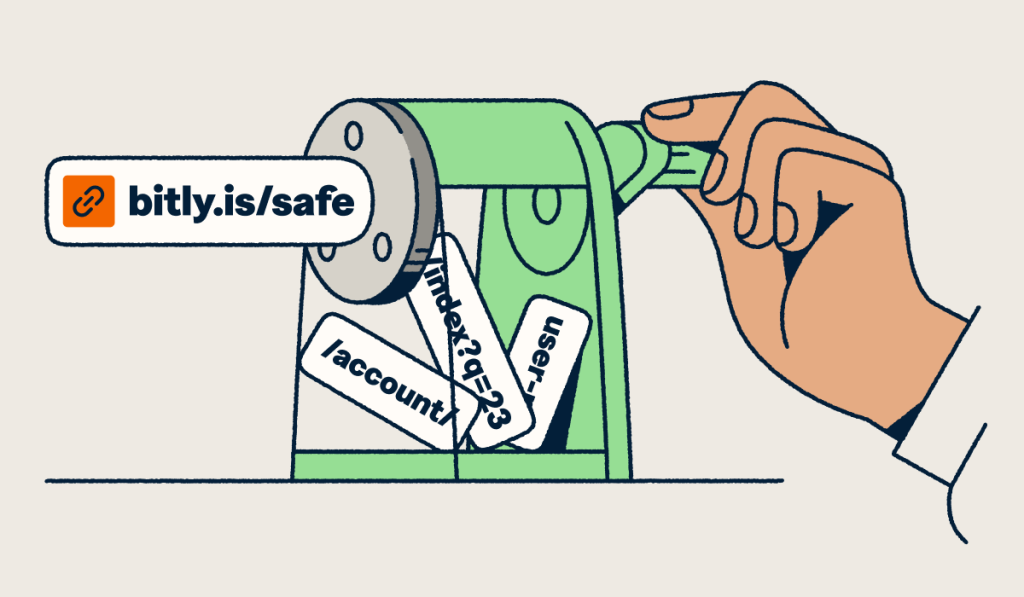
A redirect link sends visitors from one URL to another, and a branded short link is a redirect on your own custom domain. Every link you create with a URL shortener works this way.
The redirect type matters for SEO. Google’s guide to redirects explains that permanent redirects (301 and 308) signal the target should be canonical, while temporary redirects (302 and 307) don’t.
Branded short links work off-site, in social posts, SMS, email, and print. They complement your on-site SEO URLs instead of replacing them. Your full, descriptive URLs stay canonical, and short links carry people to them from channels where space and trust matter most.
With Bitly Links, you pair a custom domain with a custom back-half, like yourbrand.co/spring-sale. You can redirect the link to a new destination anytime, so branded redirect links stay useful after a campaign changes. Bitly branded links put your name on every link, so people know who sent it before they click.
Recognition pays off. Branded links see a 2.3x increase in clicks compared to unbranded links. Jawad El-Anis is Head of Marketing at Orange County CBD. In the 2025 Customer Survey, he said: “Our click-through rates have improved by 57% since switching to branded short links.”
Bitly Links also support mobile deep links that open iOS and Android apps, so mobile visitors land right in your app. To set up your own, learn how to shorten a URL and follow these short URL best practices. Then review your branded link analytics to compare channels.
Tips for analyzing and managing your link profile
A healthy link profile mixes all the types of links above, and regular audits keep it that way. These tips help you manage links in SEO and catch problems early.
Conduct a comprehensive link audit
A link audit shows which links help your SEO and which ones put it at risk. Regular audits keep your profile clean and protect your site’s authority. Follow these steps:
- Define your goals: Decide whether you want to recover from a penalty, improve rankings, or find link partners.
- Collect link data: Track clicks with Bitly Analytics, and use Ahrefs and Moz to review competitor backlinks.
- Consolidate and assess link data: Analyze metrics like domain authority (DA) and page authority (PA) to judge link quality.
- Benchmark against industry standards: Compare your profile with competitors and your own history to spot strengths and weaknesses.
Identify and remove toxic links
Toxic links are unnatural, low-quality links from irrelevant or spammy sites, and they can hurt your rankings. Google’s spam policies define link spam to include buying or selling links that pass ranking credit and excessive link exchanges.
Tools like Moz, Ahrefs, and Google Search Console help you find incoming links that look spammy. Before you disavow links (tell Google to ignore them), ask the site owners to remove problem links. Google’s disavow guidance calls disavow an advanced feature to use with caution, and says most sites don’t need it.
Monitor backlink health regularly
Regular backlink monitoring helps you keep high-quality links from authoritative sites. It also helps you align your links with search engine algorithm updates, lowering your risk of ranking drops or penalties.
For insights into backlink quality, use tools like Google Search Console, Moz, Ahrefs, and Bing Webmaster Tools for Bing-specific data.
Diversify your link profile
A diverse link profile can strengthen your site’s authority and trustworthiness. It also makes your link strategy more resilient to updates to search engine algorithms.
Use different types of links across your pages, including standard links and nofollow, sponsored, and UGC links where each fits. Keep link quality ahead of quantity as you grow.
Build relationships with reputable bloggers and content creators, and monitor your links to remove toxic ones. Not every strategy needs every link type, so choose the ones that fit your goals and content.
Track link performance with analytics
Bitly Analytics shows clicks by referrer, location, and device in one dashboard. That view helps you connect the dots between channels and spot which links earn the most engagement. Our guide to link tracking explains how to turn that data into smarter link decisions.
Build a stronger link strategy with Bitly
Each link type plays a different role in SEO. Backlinks build authority, internal links guide crawlers, and attributes like nofollow, sponsored, and UGC qualify links for search engines. Branded short links extend your reach off-site, into social, email, SMS, and print.
Bitly is the marketing platform that helps businesses of all sizes see what’s working. Simply and clearly. We help web professionals take control of their link portfolios.
Ready to build your best link strategy yet? Sign up with Bitly now and start creating branded short links you can track across every channel today.
Frequently Asked Questions
What are the four main types of links in SEO?
The four main types of links in SEO are backlinks, internal links, external links, and attribute-qualified links like nofollow, sponsored, and UGC. Backlinks point to your site from other domains, and internal links connect your own pages. External links point from your site to other domains, and rel attributes tell search engines how to treat any of them.
What is the difference between <a> and <link> in HTML?
The <a> element creates a clickable hyperlink in the page body, while the <link> element sits in the <head> and defines a relationship. Search engines follow <a> elements with an href attribute to discover pages. You use <link> for signals like canonical tags, hreflang alternates, and stylesheets, as the MDN reference for the rel attribute shows.
Are nofollow links bad for SEO?
Nofollow links are a normal part of a healthy link profile. They tell search engines you don’t vouch for the destination or want to pass ranking credit to it. Since September 2019, Google treats nofollow as a hint rather than a directive, so it may still use these links for discovery.
Google generally doesn’t use nofollow links for ranking, but people can still click them and visit your site. Use nofollow for links you don’t trust, and use sponsored or ugc when those labels fit better.
What is anchor text and why does it matter?
Anchor text is the visible, clickable text of a hyperlink. Readers and search engines use it to understand what the linked page covers before anyone clicks. Google recommends anchor text that’s descriptive, reasonably concise, and relevant to the page it links to.
Do short links hurt SEO?
Short links fit safely into your SEO strategy when you use them off-site in social posts, email, SMS, and print. A short link is a redirect, and Google treats permanent redirects as a signal that the target URL is canonical. Keep full, descriptive URLs for on-site navigation, and track off-site clicks with Bitly Analytics.
What are toxic backlinks?
Toxic backlinks are links from spammy, irrelevant, or manipulative sources that can break search engine guidelines. Google’s spam policies define link spam to include buying or selling links that pass ranking credit and excessive link exchanges.
Before you disavow, ask site owners to remove these links. Google’s disavow guidance calls disavow an advanced feature to use with caution, and says most sites don’t need it.
More Articles
More than a link shortener
Knowing how your clicks and scans are performing should be as easy as making them. Track, analyze, and optimize all your connections in one place.